Register for part 2 of our Device Identity Webinar Series!

Google sign-in proves the person. Hardware proves the device.

Google Workspace manages users, sign-in, and Context-Aware Access. Smallstep restricts certificate issuance to approved, inventoried devices and verifies hardware evidence where supported, so an access level can require a credential with a known provenance.

Get a demo
background gradientbackground texture
Complements Context-Aware Access
Issued only to approved inventory
Hardware assurance where supported
Silent in-band check
Windows, macOS, Linux, ChromeOS
Automated certificate lifecycle
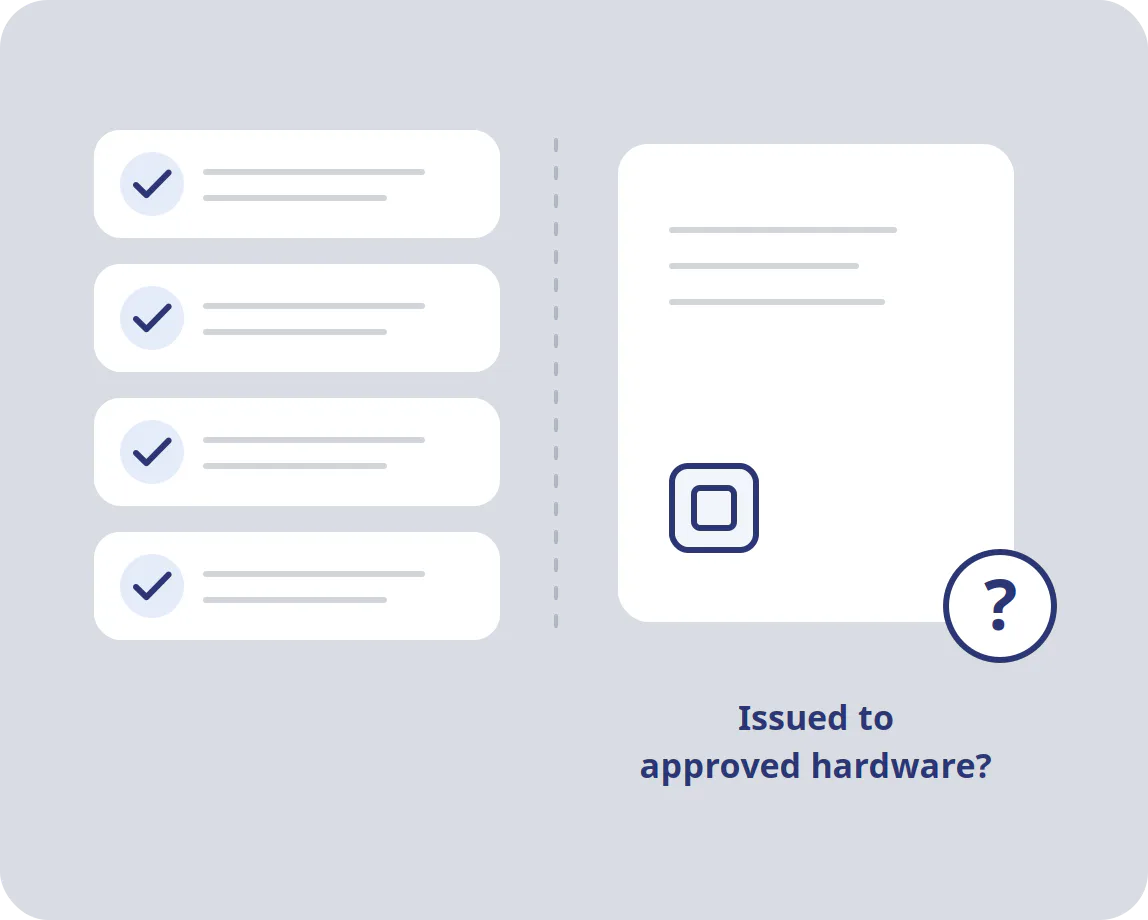
What Context-Aware Access already covers, and what it leaves open

Context-Aware Access can require device approval, Endpoint Verification attributes, and an enterprise certificate. Those controls stay. What they do not establish is how that certificate was issued: whether the device was in the inventory you approve and whether its key was generated in hardware.

  • Google evaluates the certificate it is shown. Smallstep governs which devices get one.
  • Coverage varies by OS, browser, and whether the device is managed.

Go beyond posture with hardware-backed credential issuance

Before a certificate is signed, Smallstep checks that the device is approved in your inventory, synced from Jamf, Intune, Google Workspace for ChromeOS, or your MDM, and verifies hardware attestation where supported, or Smallstep key-possession attestation on supported Mac configurations. Google keeps users, groups, and access levels. Smallstep adds assurance at the moment a credential is created.

Google sign-in proves the person. The certificate speaks for the machine.

Passkeys, security keys, and Google prompts answer "is this the right person?" A device credential answers "is this a machine we issued?" The two layers complement each other.

  • A passkey or prompt confirms a person, not the laptop running the session.
  • Neither consults your hardware inventory before access.
  • A device certificate speaks for the device, not for who is sitting at it. Smallstep's certificate exists only because the device passed an inventory check and, where supported, a hardware attestation. Existing sessions still rely on Google's session controls.

The certificate becomes a Context-Aware Access condition

Google lets an access level require an enterprise certificate. You upload Smallstep's CA to Google Admin, and Chrome plus Endpoint Verification make the Smallstep certificate available to Google's policy engine, which validates it against your trust anchors and evaluates its attributes when enforcing the access level. Smallstep attests hardware at issuance, not at each Google sign-in, and Google does not see that evidence, so scope the access level to certificates issued under the device-assurance policy you intend. Users see the sign-in they already know.

Google Workspace integrates with Smallstep at two points

Users and groups come from Google Workspace over OIDC and a directory pull, so certificates go to the right people. Devices come from your MDM integration, or from a separate Google Workspace device integration for ChromeOS. At access time, Google's own Context-Aware Access does the checking; Smallstep is not in the request path.

Google Workspace continues to own users, access levels, and app assignments. Smallstep owns which devices get a credential and how its key is protected.

Run the access level in monitor mode first, phase enforcement by organizational unit, and test an approved device, an unmanaged device, and a removed device before you enforce.

Key benefits for Google Workspace customers

Credentials only for approved hardware

Every certificate is authorized against your inventory before signing. A device you did not approve gets nothing, whatever Endpoint Verification reports about it.

Hardware attestation where it exists

Windows and Linux TPMs and ChromeOS Verified Access give device-attested keys. Macs using Chrome go through the agent and are Smallstep-attested. Assurance varies by OS, application, and enrollment method; the FAQ says what each one gets.

A condition with nothing to relay

The certificate is presented by Chrome policy, not typed or approved by a user. Combined with a passkey or security key, an access level can require both the person and the device.

Nothing for users to carry

Enrollment, issuance, and renewal happen through the agent, the MDM, or the ChromeOS extension (ChromeOS needs the device identity certificate step). Users keep their Google sign-in; the device credential arrives and renews without their involvement.

Beyond Chromebooks

Smallstep issues device credentials on Windows, macOS, and Linux as well as ChromeOS, from a centralized device inventory and certificate management. Chrome and Endpoint Verification behavior differ by platform and should be validated per client.

Defense in depth, not replacement

Keep Endpoint Verification, 2-Step Verification, and your existing access levels. Smallstep adds a hardware-rooted answer to the question those controls cannot ask: was this credential ever issued to this machine?

Chromebooks on EAP-TLS Wi-Fi, attested by Verified Access

The same Smallstep extension that feeds Context-Aware Access issues the 802.1X certificate, so contractor and frontline Chromebooks join the secure SSID without a password. See Wi-Fi

Put issuance assurance behind the Google Workspace sign-ins that carry the most business risk.

Your Google controls stay where they are. Smallstep checks approved inventory and, where supported, hardware attestation before a certificate exists. Keep your most sensitive apps on credentials with a provenance.

Book a demo

FAQs Smallstep for Google Workspace

Context-Aware Access evaluates the signals it is handed: Endpoint Verification attributes, IP, management state, and whether an enterprise certificate is present. Smallstep does not modify any of those. It strengthens the issuance assurance of the certificate that Google then checks: the certificate exists only because the device was in your inventory and, on supported platforms, proved a hardware-resident key. Google does not re-run that attestation; it validates chain, issuer, validity, and attributes against your trust anchors. The assurance behind the certificate therefore depends on Smallstep’s issuance policy, so restrict the access level to the issuing authority or certificate profile that enforces inventory authorization and attestation, and keep lower-assurance issuance on a separate issuer.

Google’s Cloud Certificate Connector delivers SCEP certificates to ChromeOS and to Android and iOS under advanced mobile management, from a Windows service in front of Microsoft AD CS and NDES. That works if you plan to keep AD CS. Smallstep replaces it: ChromeOS keys are attested through Verified Access before a certificate exists, Windows, macOS and Linux use the same inventory, and SCEP/NDES emulation covers what must stay on SCEP.

Three configurations. A Google Cloud OAuth client and domain-wide delegation connect Google Workspace to Smallstep: OIDC for sign-in and a directory pull for users and groups (Google’s integration is API-based rather than SCIM). Device inventory is a separate integration: your MDM for Macs, Windows, and Linux, or, for ChromeOS, a Google Cloud service account with Workload Identity Federation (WIF), Admin SDK and Verified Access API access, and the Smallstep extension. In Google Admin, you upload Smallstep’s CA under Devices, Networks, Certificates with Endpoint Verification enabled, set Chrome’s AutoSelectCertificateForUrls policy with Google’s exact pattern (https://[*.]clients6.google.com) and an issuer filter matching the Smallstep CA’s common name, and build an access level that requires a valid certificate with the Client Authentication EKU from that issuer, with both root and intermediate uploaded as trust anchors. ChromeOS and agent-managed computers issue from different Smallstep authorities. Add an AutoSelectCertificateForUrls entry and trust anchors for each issuer, and include both in the access level. Endpoint Verification reports only one enterprise certificate per device, so keep other client certificates off the policy path or expect selection and troubleshooting surprises.

The check runs in Chrome with the Endpoint Verification extension on a managed device. Google documents Windows and ChromeOS; on Windows the browser credential must be configured in the Current User store, since Google cannot use certificates that exist only in Local Machine, so set the Smallstep agent’s browser credential to user scope and confirm Chrome’s selection in testing. macOS and Linux use the same Chrome policy and Endpoint Verification extension; Google’s documentation is centered on Windows and ChromeOS, so validate them on your own fleet. Safari, Firefox, and native apps do not present the certificate to Google. Clients that cannot supply it may be denied; any alternative path has to be an access level you define on purpose. Be careful with assignment: when several access levels are assigned to one app, Google applies OR logic, so a user can qualify through another level without the certificate.

Not when the Chrome policy is in place: AutoSelectCertificateForUrls picks the Smallstep certificate for clients6.google.com automatically and the pattern must not be changed. Google may still ask for a passkey, security key, or prompt depending on your 2-Step Verification policy; the certificate condition does not replace those.

On Windows and Linux the agent generates the key in the TPM and produces attestation evidence chained to the endorsement key, which Smallstep validates against inventory before signing. On ChromeOS, Verified Access provides the attestation through the Smallstep extension. On Macs enrolled in MDM (Apple silicon, macOS 14+), Apple’s Managed Device Attestation does the same through the MDM. For credentials whose keys are hardware-bound, the private key does not leave the secure element, so copying the certificate or profile to another machine does not transfer the credential. Virtual TPMs are supported where policy allows them; the assurance you get depends on the evidence your issuance policy requires.

Windows and Linux (Chrome): device-attested keys, meaning the issuer verified hardware evidence before signing. ChromeOS (Chrome): device-attested through Verified Access. Agentless macOS (MDA): device-attested, but Chrome on macOS needs the Smallstep agent to use the certificate, and agent-based Mac keys are Smallstep-attested, which proves possession of a Secure Enclave key but cannot remotely prove the key lives in a genuine Secure Enclave. Smallstep’s platform documentation lists this per browser and application.

It narrows the problem rather than ending it. Where the certificate uses a non-exportable hardware-bound key, an attacker cannot copy it to another machine to pass the access level. A cookie lifted after a legitimate sign-in is still a cookie until the session ends. Pair Smallstep with Google's session length controls and, on Chrome for Windows where Google has released device-bound session credentials for Workspace, with session binding, to shrink that window. Note that Workspace core services re-evaluate Context-Aware Access continuously while SAML apps generally evaluate it at sign-in.

Workspace core services and the Admin console, with the access level assigned to each app. SAML apps federated through Google, where your edition supports Context-Aware Access for them and with policy evaluated at sign-in. Internal apps behind Identity-Aware Proxy can reuse access levels, but IAP needs its own Google Cloud configuration. Each is a separate assignment, not a single switch.

Yes. Access levels are assigned per app and per organizational unit or group, so you can require the certificate for the Admin console and the systems that carry the most risk and leave the rest on your existing policy.

Removing a device from your MDM blocks future issuance and renewal once the change reaches Smallstep’s inventory; an administrator can also remove approval directly in Smallstep. Already-issued certificates remain valid until they expire, which is why lifetimes are kept short. Context-Aware Access validates chain, issuer and validity; don’t plan on revocation checking. An issued certificate can satisfy the condition until it expires. Short lifetimes, blocking the device in Google Admin, and session controls are the containment measures; treat them as separate steps.

Yes. Only devices authorized under your issuance policy receive the certificate, and a certificate-requiring access level blocks devices without it. If you need BYOD access, define an explicit alternative access level for it, and remember that assigning several levels to one app uses OR logic, so a permissive level admits devices without the certificate. For sensitive apps, require the certificate in every permitted path. Inventory is not limited to MDM: a device can be admitted through self-registration, which an admin approves by default, or imported through the API.

Yes. Those are user factors and they stay. The certificate is a device condition evaluated alongside them. An access level can require both, which is the combination that answers who and which machine at once.

Google Workspace is the device source for ChromeOS, where the extension first obtains an attestation certificate and a separate device identity certificate must then be configured for use with Chrome and Wi-Fi (ChromeOS device identity certificates). Smallstep’s Google Workspace device integration syncs ChromeOS only. Windows, Android or iOS devices managed in Google Workspace aren’t synced from Google; add Windows through another MDM, self-registration or the API. Smallstep has no Android attestation path. For Macs, Windows, and Linux, Smallstep syncs inventory from Jamf, Intune, Iru, Mosyle, Workspace ONE, Fleet, JumpCloud, or the API. Google handles users either way, and the certificate condition in Context-Aware Access does not care which MDM

Yes. The same device identity issues EAP-TLS Wi-Fi certificates, certificate-based VPN credentials, and mTLS client certificates for internal services, and Google Workspace users on Windows, macOS and Linux can get SSH certificates for TPM or Secure Enclave keys through the Smallstep Agent. One device inventory, centralized certificate management, multiple enforcement points.